Free Converter

TIFF to PDF Converter - Convert TIF Files Free Online

Convert TIFF to PDF instantly in your browser. Free TIFF to PDF converter with batch support — no upload, no signup. Turn TIF files into PDF in seconds.

or drop files anywhere on this page

Accepts .tiff,.tif · 100% browser-based · No signup needed

100% Private
Instant Conversion
No File Limits
No Signup Needed
Scenarios where TIFF to PDF conversion is needed

Make Any TIFF File Instantly Shareable as PDF

TIFF files preserve every detail without compression — perfect for scans, legal documents, and photography. The problem is that most people cannot open them. Colleagues, clients, and government portals expect PDF — a format every device reads natively. Converting TIFF to PDF makes your scanned contracts, medical records, court filings, and photo prints accessible to anyone. Need to convert other formats too? PhotoLab also handles PNG to PDF, JPG to PDF, and HEIC to PDF conversions — all free and browser-based.

Scanned contracts and invoices
Legal and court documents
Medical imaging records
Photography portfolio prints
Government agency submissions
Multi-page document archiving
Convert Now

Convert TIFF to PDF in Three Clicks — No Software Needed

No account creation, no software downloads, no waiting in a processing queue. The entire TIFF to PDF conversion runs on your own machine through browser JavaScript.
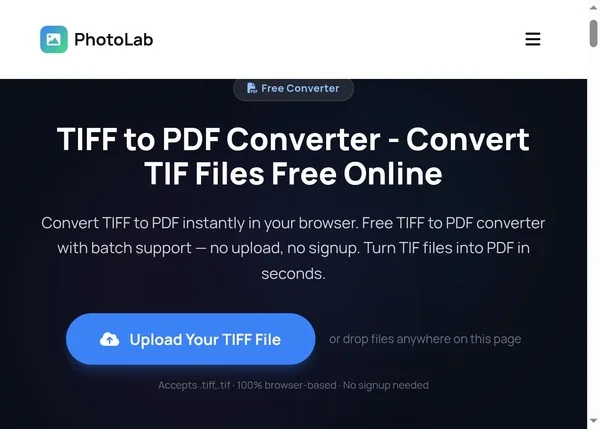
Step by step TIFF to PDF conversion process - Step 1
1

Upload Your TIFF File

Open the TIFF to PDF converter page. Drag and drop your TIFF or TIF file into the upload area, or click to browse your device and select the file manually. Multiple files are accepted for batch conversion.
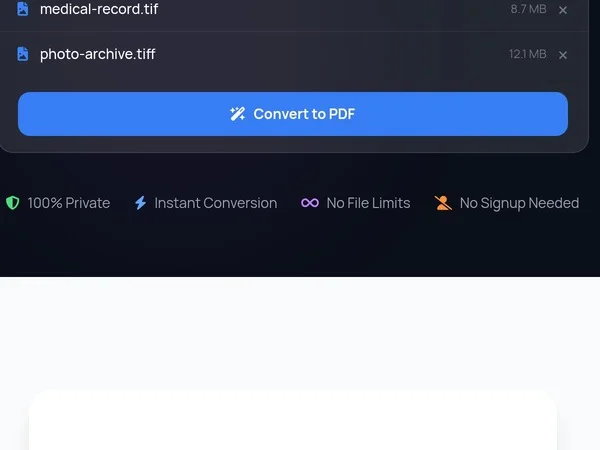
Step by step TIFF to PDF conversion process - Step 2
2

Click Convert to PDF

Press the blue Convert to PDF button. Your browser reads the TIFF image data and generates a PDF document locally using JavaScript. Nothing is sent to any server — the entire conversion process runs on your own device.
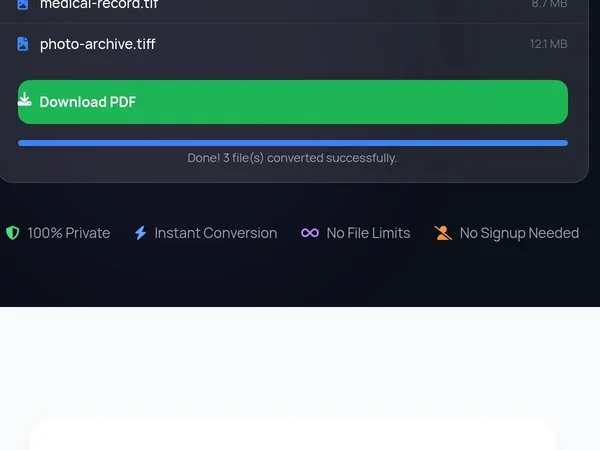
Step by step TIFF to PDF conversion process - Step 3
3

Download Your PDF

Once the conversion finishes, a green Download button appears. Click it to save your new PDF file directly to your device. The file is ready to share, print, or archive.

TIFF to PDF converter features and privacy

Keep Full Resolution When Converting TIFF to PDF

Unlike server-based converters that recompress your images, PhotoLab processes everything locally in your browser. Your TIFF files never leave your device — zero uploads, zero cloud processing, zero third-party access. The converter preserves full resolution on single-page scans and multi-page documents alike. Want to go the other direction? Use our PDF to TIFF converter to extract images. Or convert your TIFFs to web-friendly formats with the TIFF to JPG and TIFF to PNG tools.

100% browser-based processing
Multi-page TIFF support
Full resolution preservation
No file size limits
Works on phone, tablet, desktop
Batch conversion support
Convert Your Files — Free

TIFF to PDF — Frequently Asked Questions

How do I convert TIFF to PDF?

Drag and drop your TIFF file into the converter at the top of this page, then click the blue Convert to PDF button. The processing happens entirely in your browser using JavaScript — your file never leaves your device and no account is required.

Is it safe to convert TIFF to PDF online?

Yes. PhotoLab uses client-side JavaScript to convert files directly in your browser. Your TIFF images are never uploaded to any server, never stored in the cloud, and never seen by anyone else. Everything stays on your computer from start to finish.

Can I convert multiple TIFF files to PDF at once?

Yes. Select multiple TIFF files and each one gets converted to a separate PDF. You can download them individually after conversion.

What is the difference between TIFF and TIF?

TIFF and TIF are the same format. TIF is simply the three-letter file extension used by older Windows systems that required 8.3 filenames. Both work identically in this converter.

Does this converter handle multi-page TIFF files?

Yes. Multi-page TIFF files are fully supported. Each page in the TIFF becomes a separate page in the resulting PDF document, maintaining the original page order.

What is the maximum file size I can convert?

There is no server-side limit since processing happens in your browser. Files up to 50MB work smoothly on most devices. Larger files may take longer depending on your hardware.

Will converting TIFF to PDF reduce image quality?

No. This converter embeds the full-resolution image into the PDF without recompression. The output PDF contains your original image at its native resolution and quality.

Can I convert TIFF to PDF on my phone?

Yes. This converter works on any device with a modern browser — iPhone, Android, iPad, or desktop computer. No app installation needed.

What other formats can PhotoLab convert?

PhotoLab supports dozens of format conversions including TIFF to JPG, PNG to PDF, HEIC to JPG, WebP to PNG, and many more. Visit the Image Converter hub for the full list of supported formats.

Do I need to create an account?

No. PhotoLab is completely free with no registration required. Just open the page, drop your file, and convert. There are no usage limits or hidden fees.

Why should I convert TIFF to PDF?

PDF files are universally viewable on every device and operating system without specialized software. They are typically smaller than uncompressed TIFF files and much easier to share via email, messaging apps, or cloud storage services.

Does this TIFF to PDF converter work offline?

The TIFF to PDF converter requires an initial page load to download the JavaScript conversion code, but once the page is loaded, the actual file conversion works without an active internet connection since all processing happens locally in your browser.

Convert More TIFF Files — Always Free

Drop another file to convert instantly, or explore dozens of other free image and GIF tools on PhotoLab.

Explore All Free Tools →